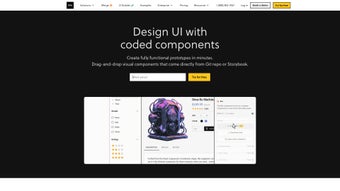

Download UXPin Merge – Free, Secure UI Design & Prototyping Tool for Web, Mobile & Desktop
Revolutionize Your UI Design Process with UXPin Merge
In today’s fast-paced digital landscape, speed, consistency, and collaboration are key to delivering high-quality user interfaces. UXPin Merge emerges as a game-changing solution for teams aiming to streamline their design-to-development workflow. This powerful, web-based UI builder allows designers and developers to create interactive user interfaces with unprecedented speed and precision. What sets UXPin Merge apart is its ability to enable developers to build UIs up to 8.6 times faster by leveraging coded components directly from React libraries. This means you can skip the repetitive, time-consuming task of writing boilerplate code and focus on innovation and user experience.
One of the standout features is its no-code interface for prototyping. Even if you’re not a seasoned coder, you can design dynamic, interactive prototypes that simulate real user behavior. The tool automatically generates clean, production-ready front-end code, ensuring that your designs translate seamlessly into functional applications.
Whether you're working on a responsive web app, a mobile interface, or a desktop application, UXPin Merge supports all major platforms. Its integration with essential development tools like Git, Storybook, and npm makes it a natural fit for modern development pipelines. You can version control your design components, share them across teams, and maintain consistency across multiple products.
UXPin Merge also excels in team collaboration. Designers and developers can work in sync using shared documentation links, reducing miscommunication and rework. The platform supports the import of existing component libraries, allowing you to reuse and scale your design systems efficiently. With access to a growing library of templates and design patterns, you can kickstart projects faster and maintain brand consistency. Whether you're a solo developer or part of a large enterprise team, UXPin Merge adapts to your workflow, making it one of the most versatile UI tools available today.
Key Features That Make UXPin Merge a Must-Have Design Tool
- 8.6x Faster UI Development – Build interfaces using pre-coded React components, drastically reducing development time.
- No-Code Prototyping – Design interactive, animated prototypes without writing a single line of code.
- Automatic Code Generation – Export clean, readable front-end code compatible with React, HTML, and CSS.
- Seamless Tool Integration – Works with Git, Storybook, npm, and other popular development environments.
- Component Library Import – Bring in existing design systems and reuse components across projects.
- Multi-Platform Support – Design for web, mobile (iOS & Android), and desktop applications with unified workflows.
- Real-Time Collaboration – Share design links, collaborate live, and maintain version history.
- Template & Pattern Library – Access ready-to-use UI templates and design patterns to accelerate project start.
- Documentation Integration – Generate and link direct documentation for components, improving team onboarding.
- Responsive Design Preview – Test your UI across devices and screen sizes instantly.
UXPin Merge is not just a design tool—it’s a full-fledged design system platform. The ability to import existing component libraries means you can transition from legacy systems to modern workflows without starting from scratch. This is especially valuable for large organizations with established design systems. The tool’s automatic code generation ensures that every design decision translates into efficient, maintainable code, reducing the risk of bugs and inconsistencies during development.
Another major advantage is the built-in support for responsive design. You can preview your UI on various screen sizes and device types with just a few clicks, ensuring your application looks great everywhere. The real-time collaboration feature allows teams to work together on the same project simultaneously, with changes synced instantly. This reduces the back-and-forth between designers and developers, cutting down project timelines significantly.
How to Install and Use UXPin Merge – A Step-by-Step Guide
Using UXPin Merge is refreshingly simple, thanks to its web-based architecture. There’s no need to download or install software on your local machine. All you need is a modern web browser and an internet connection. To get started, visit the official UXPin Merge website and sign up for a free account. The registration process is quick and requires only your email address and a password.
Once logged in, you’ll be greeted with a clean, intuitive dashboard. From here, you can create a new project by selecting a template or starting from scratch. The interface is highly visual, with drag-and-drop functionality that makes placing components effortless. To begin designing, simply browse the library of pre-built React components—buttons, forms, modals, navigation bars, and more—and drag them onto your canvas.
For prototyping, select any element and define interactions using the built-in interaction builder. You can set up transitions, hover effects, and navigation flows between screens—all without writing code. Once your prototype is complete, you can test it directly in the browser. Clicking through the prototype simulates real user behavior, helping you identify usability issues early.
To generate code, click the “Export” button. UXPin Merge will produce clean, well-structured code in React, HTML, and CSS formats. You can copy it directly or download it as a file. For teams using Git, you can connect your project to a repository and push updates directly. Integration with Storybook allows you to preview components in isolation, while npm integration lets you publish your components as reusable packages.
For developers, the tool supports advanced features like custom component creation and styling with CSS variables. You can also link your design to documentation, ensuring that every team member understands how to use each component correctly. The entire process—from concept to code—is streamlined, making UXPin Merge a powerful ally in modern software development.
Compatibility & System Requirements
UXPin Merge is a cloud-based platform, meaning it runs entirely in your browser. This makes it compatible with all major operating systems, including Windows, Mac, Android, and iOS. Whether you’re working on a desktop, laptop, tablet, or smartphone, you can access your projects from anywhere with an internet connection.
For optimal performance, we recommend using the latest versions of Chrome, Firefox, Safari, or Edge. The platform is optimized for high-resolution displays and supports touch input on tablets and touchscreen laptops. No additional software or plugins are required—just a stable internet connection and a modern browser.
Because UXPin Merge is web-based, it eliminates the need for system-specific installations. This is especially beneficial for remote teams or developers working across different devices. You can switch between your home PC, office laptop, or even a tablet without losing progress. The platform also supports multi-factor authentication and end-to-end encryption, ensuring your designs and code remain secure and private.
For teams using enterprise-grade security, UXPin Merge offers SSO (Single Sign-On), audit logs, and compliance with GDPR and SOC 2 standards. This makes it suitable for sensitive projects in finance, healthcare, and government sectors. The platform also supports offline mode for limited editing when internet access is unstable, though full functionality requires an active connection.
Pros and Cons: Is UXPin Merge Right for You?
Pros
- Accelerates UI development by up to 8.6x using React-based components
- Generates clean, production-ready code automatically
- Seamless integration with Git, Storybook, and npm
- Supports cross-platform design (web, mobile, desktop)
- Real-time collaboration and team sharing features
- Free plan available with robust functionality
- Import existing component libraries for faster onboarding
- Secure, cloud-based platform with enterprise-grade protection
Cons
- Requires stable internet connection for full functionality
- Advanced features limited in free tier
- Learning curve for users unfamiliar with React or component-based design
- Offline editing is limited compared to desktop tools
- Not ideal for highly custom, non-React UI frameworks
Frequently Asked Questions (FAQ)
Final Verdict: Why UXPin Merge is a Top Choice for Modern Design Teams
If you're looking to accelerate your UI design workflow, improve collaboration between designers and developers, and generate clean, maintainable code, UXPin Merge is one of the best tools on the market. Its ability to boost development speed by 8.6 times while maintaining design integrity makes it a standout choice for startups, agencies, and enterprise teams alike.
Whether you're building a simple web app or a complex desktop application, UXPin Merge offers the flexibility, power, and security needed to succeed. With its seamless integration into modern development environments, robust feature set, and user-friendly interface, it’s a tool that grows with your team.
Download UXPin Merge today—it’s free, secure, and ready to transform how you design and build user interfaces. Start your 14-day free trial or sign up for the free plan to experience the future of UI development.



.png)



